If you want to see your CPU Usage and you’re on Windows 10, you’re in luck! This How To will give you two diffrent ways to see the CPU usage without installing anything!
NOTE: You must be on the latest release of Windows 10 for this to work. This also might work on Windows 8/8.1
METHOD 1: TASK MANAGER
Task Manager is a app hidden within Windows 10. This is how to access it:
1. Press Ctrl-Alt-Delete. You will be presented with a menu. Click on Task Manager.
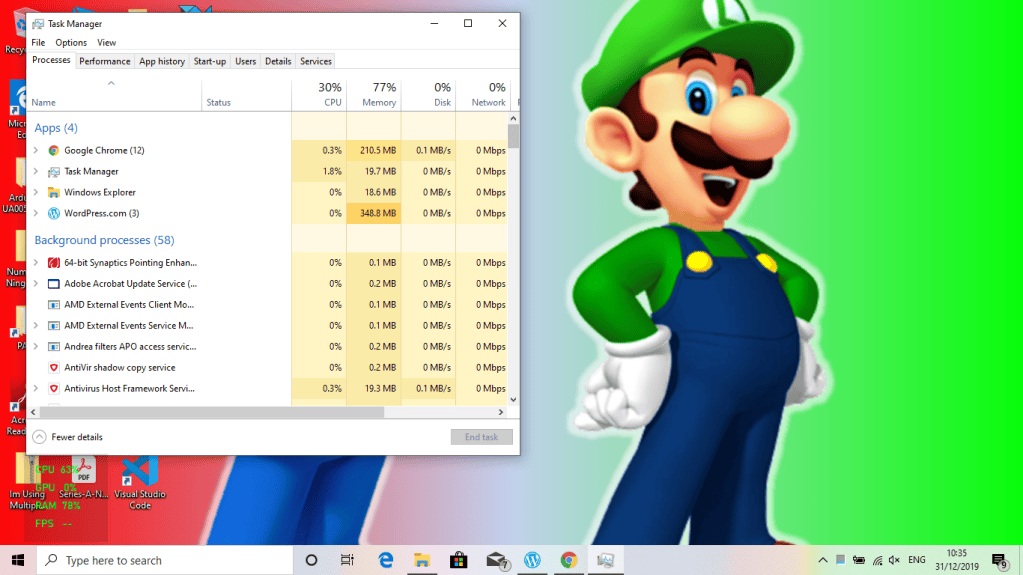
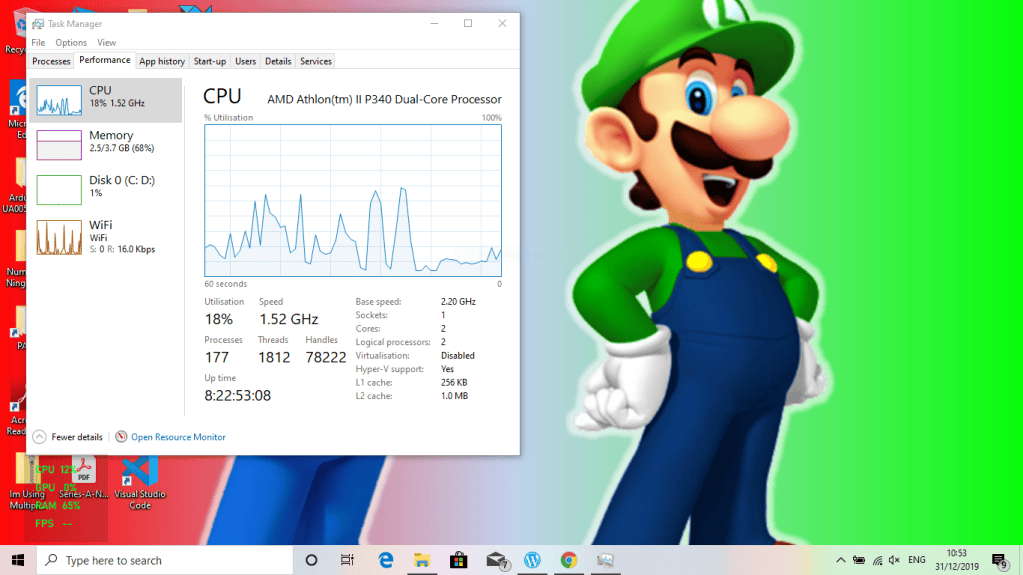
2. Click on Peformance tab. And that’s your CPU Usage!
METHOD 2: THE GAME BAR
The Game Bar is a tool that you can use for games. But it can also be used for seeing CPU Usage!
1. Click Windows Key-G. The Game Bar will open.

2. Click the computer icon (circled below)

3. In the bottom-left corner, there will be a CPU Usage Graph. That’s it! Click Windows Key-G to exit.
Hope you enjoyed reading this and I hope it solved your problem! Bye!

